Google Chrome is the world’s most widely used browser. For cross-border e-commerce sellers, social media marketers, advertisers, web scraping professionals, and SEO specialists, a reliable Chrome proxy extension makes it easy to switch and manage Proxies, greatly improving workflow efficiency. Whether you’re managing multiple online stores, operating overseas social media accounts, or testing web data collection, switching networks is often a task repeated hundreds of times every day.
In this article, we’ll review the 5 best Chrome proxy extensions in 2026, comparing their features, usability, and security to help you choose the right proxy management tool.
I. What Is a Chrome Proxy Extension? How Should You Choose One?
Simply put, a Chrome proxy extension acts as a traffic controller for your browser. Once you configure a Proxy (HTTP/SOCKS5) and enable it, all web requests from the current browser will be routed through that Proxy.
With so many proxy extensions available, choosing the right one can be overwhelming. Here are the key factors to consider:
- Compatibility: Make sure the extension supports Chrome Manifest V3, as the older MV2 standard is being phased out.
- Features: Beginners may only need one-click switching, while advanced users should look for rule-based auto switching and multiple profiles.
- Ease of Use: A clean interface and simple configuration become especially important when managing dozens of proxy endpoints.
- Security: Prioritize open-source extensions or those that have been audited or widely trusted by users.
- Integration with Proxy Providers: If you’re using a specific provider, its official extension can automatically sync proxy nodes, eliminating the need to manually enter IP addresses, ports, usernames, and passwords.
II. Top 5 Chrome Proxy Extensions in 2026
1. ZeroOmega (The Successor to SwitchyOmega)
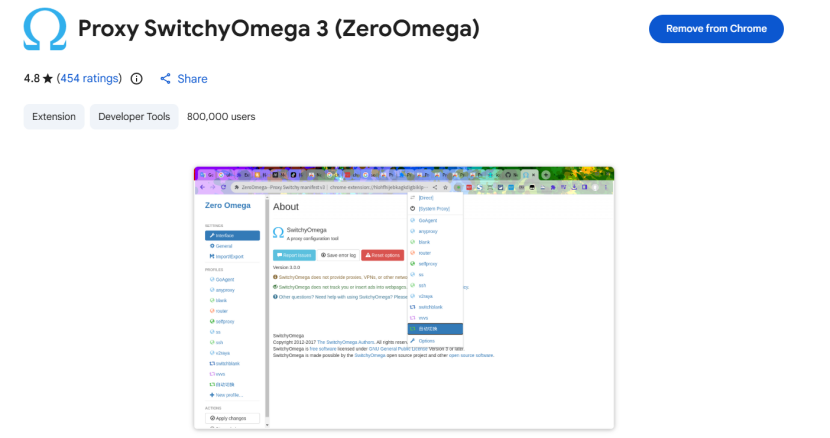
The once-popular Proxy SwitchyOmega is no longer actively maintained due to its lack of MV3 support. ZeroOmega has become its leading open-source successor, inheriting its powerful Auto-switch functionality. By creating or importing rules, you can configure highly intelligent routing for different websites.
- Best for: Development, advanced proxy rule configuration, and users who rely on PAC scripts.
- Pros: Extremely powerful, supports domain wildcard routing and HTTP/SOCKS5 protocols, making it a favorite among developers and power users.
- Cons: The interface still feels dated, and the learning curve is relatively steep for non-technical users who simply want quick network switching.
2. IPFoxy Proxy Manager
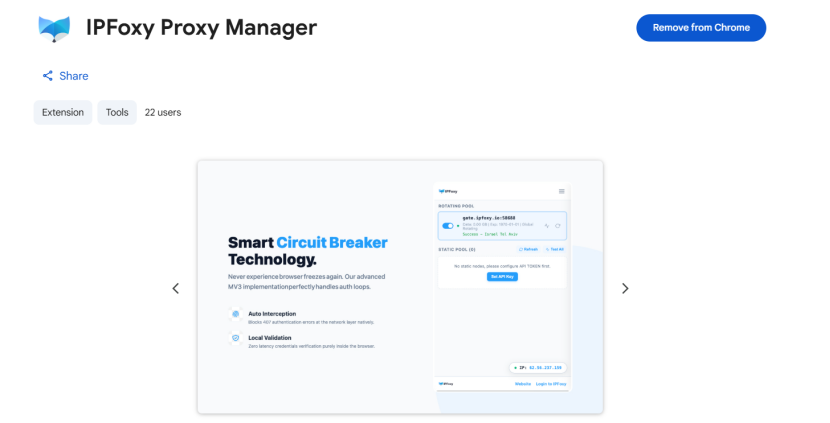
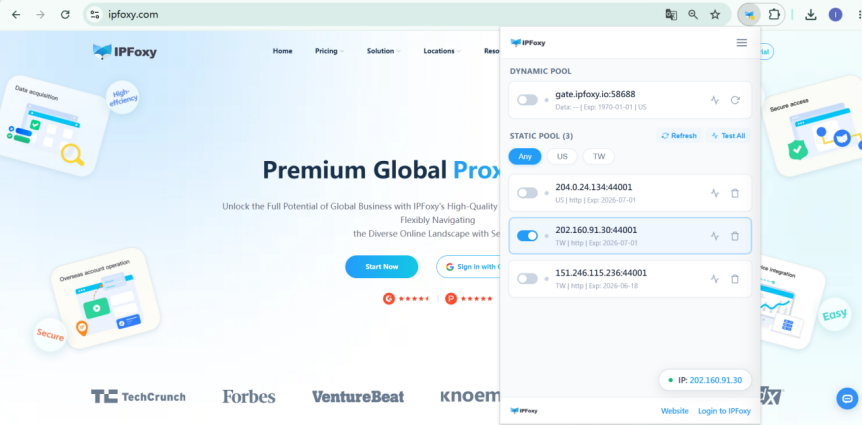
IPFoxy Proxy Manager is the official Chrome proxy management extension developed by IPFoxy. Unlike traditional extensions that require manually entering long IP addresses, ports, usernames, and passwords, it only requires an API Key configuration. The extension will then automatically sync your account’s Residential Proxy, ISP Proxy, and Datacenter Proxy resources for one-click import and fast switching. It also supports Incognito Mode and works seamlessly with fingerprint browsers to help reduce account risk.
IPFoxy currently offers over 90 million Proxy resources across more than 200 countries and regions, including Residential Proxy, Mobile Proxy, ISP Proxy, and Datacenter Proxy options.
- Best for: IPFoxy users, cross-border e-commerce sellers, multi-account operators, and users seeking maximum configuration efficiency.
- Pros: Eliminates repetitive copy-and-paste work. Automatic Proxy synchronization, quick region selection, and one-click refresh significantly improve efficiency for users who switch networks frequently. Fully compatible with Chromium-based browsers such as Edge.
- Cons: Designed specifically for the IPFoxy ecosystem. In addition, due to the latest Chrome kernel policies, the extension currently focuses its optimization on the HTTP protocol.
3. FoxyProxy
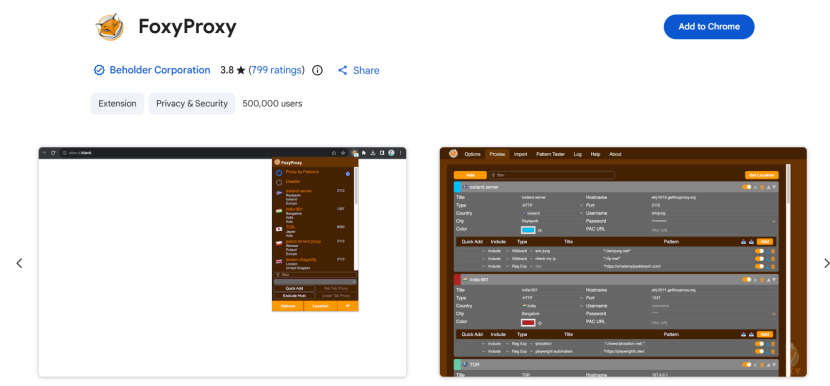
FoxyProxy is a well-established browser extension available for both Chrome and Firefox. It comes in Standard and Basic editions and provides robust low-level proxy control. One of its biggest strengths is its detailed connection logging and testing capabilities.
- Best for: Users and small teams looking for an open-source solution with reliable automatic switching.
- Pros: Excellent protocol support and high stability. If a connection fails, the detailed logs make it easy to determine whether the issue is caused by the Proxy, authentication credentials, or the target website itself.
- Cons: The interface has remained largely unchanged for years and feels outdated. It also lacks convenient bulk import features for managing large numbers of proxy configurations.
4. Proxy Helper
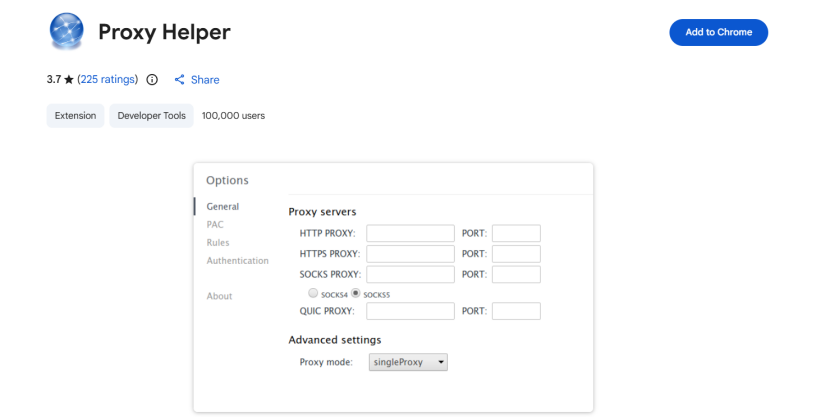
Proxy Helper is a free Chrome extension with a very simple design. The entire interface consists of a straightforward single-page form without complicated menus.
- Best for: Users who rarely use proxies, only need basic switching, and prefer minimal setup.
- Pros: Extremely lightweight and fast. If you receive a temporary Proxy and want to verify its availability and speed within seconds, this is one of the quickest options.
- Cons: Its functionality is limited. It does not support local backup or cloud synchronization of configurations and cannot save multiple Proxy lists simultaneously. Switching to another Proxy requires overwriting the previous one.
5. Proxy Switcher and Manager
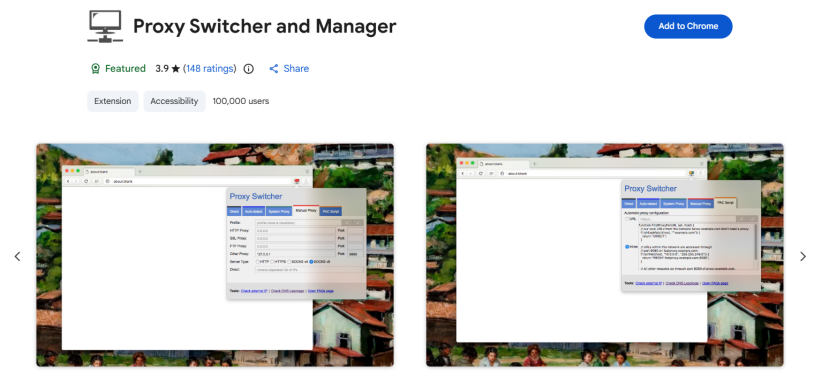
This extension is designed for users who don’t frequently change networks but regularly switch between a Proxy connection and their local network. Its interface is modern and conveniently accessible from the browser toolbar.
However, some users have reported stability issues, particularly when using SOCKS5-related configurations.
- Best for: Users who value a modern interface and only need lightweight proxy switching. It is better suited as a backup option rather than a primary tool.
- Pros: Supports one-click enable/disable for the entire Proxy configuration and consumes very little browser memory when idle.
- Cons: Suitable for managing a small number of Proxies, but lacks scalability for high-density multi-account operations.
| Core Criteria | ZeroOmega | IPFoxy Proxy Manager | FoxyProxy | Proxy Helper | Proxy Switcher |
| Open Source | Yes | No | Yes | No | Yes |
| Proxy Input Experience | Manual configuration / rule import | One-click API synchronization | Manual configuration | Manual single entry | Manual configuration |
| Dynamic Residential Proxy Switching | Requires generating a new link in the dashboard | One-click refresh in the extension | Manual replacement | Not supported | Relatively cumbersome |
| Automatic Website Routing | Excellent (Auto-Switch) | Average (Global switching focused) | Good (Pattern-based rules) | None | Basic routing |
| Best For | Developers / Power users | Multi-region testing / Social media operations | Technical development and troubleshooting | Temporary single-line testing | Light proxy users |
III. How to Use a Chrome Proxy Extension?
Most Chrome proxy extensions work similarly. After installation from the Chrome Web Store, you typically enter the Proxy, port, protocol type, and authentication information (if required), save the configuration, and then switch between profiles.
The basic steps are:
- Download the extension from the Chrome Web Store and pin it to the toolbar.
- Open the extension’s Options page and create a new Proxy profile.
- Select the protocol (HTTP or SOCKS5), manually enter the Proxy Server (IP address) and Port, and enter authentication credentials if required.
Using IPFoxy Proxy Manager is even simpler. After entering your IPFoxy account API, your cloud-based Proxy resources are automatically synchronized. Simply click the Connect button next to the desired Proxy to establish the connection.
- Save the configuration and select the desired Proxy from the extension icon to activate it.
IV. Understanding the Limitations of Chrome Proxy Extensions
Every technology has its limitations. It’s important to understand what a proxy extension cannot do to avoid unnecessary risks.
1. It Cannot Change Your Browser Fingerprint
The primary function of a proxy extension is to change your network IP address. If you open dozens of tabs within the same Chrome browser and log into different Amazon or TikTok accounts using different Proxies, those accounts can still be suspended because websites can detect identical Canvas, WebGL, AudioContext, and hardware fingerprints.
If your business requires strong anti-detection measures—such as large-scale account farming or store isolation—you should use a professional fingerprint browser integrated with proxies to achieve complete environment isolation. Proxy extensions are better suited for lightweight multi-account switching, geo-testing, or web scraping verification.
2. It Cannot Proxy Traffic Outside the Browser
Extensions based on chrome.proxy only control traffic inside the current browser sandbox. They do not affect standalone desktop applications or other software running on your computer.
V. FAQ
A: Some free extensions may collect user data or pose privacy risks. Before installing one, check its reviews, download volume, and update history. Open-source extensions or those with long-term community validation are generally safer choices.
A: There are usually three common reasons:
① The Proxy has expired or is no longer valid.
② The wrong protocol was selected (for example, entering an HTTP Proxy into a SOCKS5 configuration).
③ Special characters in the username or password triggered a browser parsing issue.
Checking the extension logs can help identify the problem.
A: Technically yes, but it is not recommended. If multiple accounts share the same Proxy, platforms can easily associate them through the same network identity, increasing the risk of suspension. The best practice is one account, one Proxy, with each account using an independent Proxy to minimize association risks.
VI. Conclusion
Proxy extensions are essential productivity tools for cross-border e-commerce, social media management, development, and testing. However, improving efficiency does not mean they can solve every problem.
Choosing the right extension can make daily Proxy management much easier. Through this detailed review and comparison of ZeroOmega, IPFoxy Proxy Manager, FoxyProxy, Proxy Helper, and Proxy Switcher and Manager, we hope you now have a clear understanding of their positioning, strengths, and differences so you can select the solution that best fits your needs.