In 2026, web scraping has become a fundamental capability for e-commerce analysis, SEO optimization, and market research. With the rise of AI tools like ChatGPT, the barrier to entry has been significantly lowered. More users now rely on AI to generate code, optimize logic, and accelerate data collection workflows.
This article explains how to use ChatGPT to build web scraping solutions from scratch, including practical methods, common use cases, technical limitations, and optimization strategies.
I. Why Use ChatGPT for Web Scraping
With the advancement of AI, web scraping is shifting from a high-barrier technical task to an accessible productivity tool. ChatGPT is widely adopted because it improves efficiency and reduces complexity.
Main advantages include:
1. Lower technical barrier
Even without deep programming knowledge, users can quickly get started with web scraping.
2. Built-in debugging and optimization
Errors in code can be quickly fixed and iterated with AI assistance.
3. Strong extensibility
Can be combined with Python, Selenium, APIs, and other technologies.
4. Wide range of applications
Suitable for e-commerce, SEO, and data analysis scenarios.
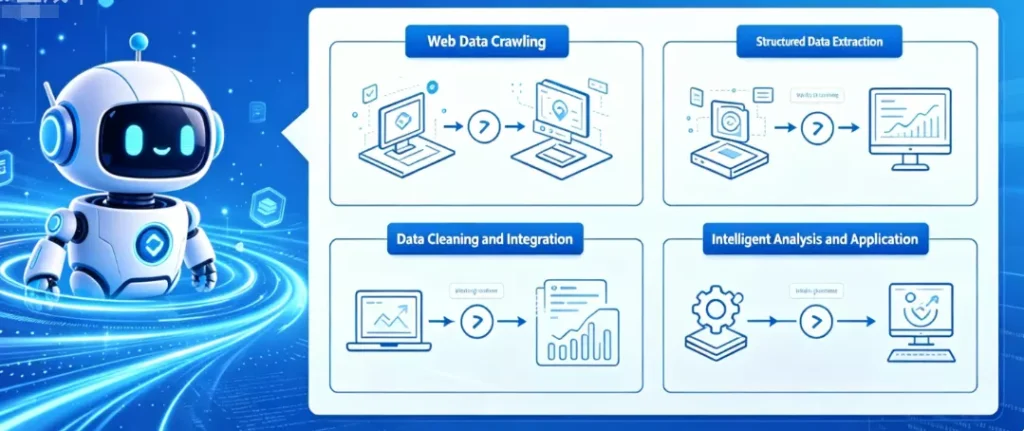
II. 7 Ways to Use ChatGPT for Web Scraping
Below are seven practical use cases, covering the full workflow from beginner to advanced.
1. Generate basic scraping scripts
ChatGPT can quickly generate scripts using Python with requests and BeautifulSoup.
Prompt: Write a Python script to scrape product titles and prices from a given URL
Code:
import requests
from bs4 import BeautifulSoup

url = "xxxxxxxx"
response = requests.get(url)
soup = BeautifulSoup(response.content, "html.parser")

products = soup.select(".product-card")

for product in products:
    title = product.select_one("h4").get_text(strip=True)
    price = product.select_one(".price-wrapper").get_text(strip=True)
    print(f"Title: {title}, Price: {price}")
2. Scrape dynamic websites with Selenium / Playwright
For JavaScript-rendered pages, ChatGPT can generate browser automation scripts.
Prompt: Use Selenium to scrape product titles from a dynamic webpage
Code:
from selenium import webdriver
from selenium.webdriver.common.by import By
import time

driver = webdriver.Chrome()
driver.get("https://example.com")

time.sleep(3)

titles = driver.find_elements(By.CSS_SELECTOR, ".product-title")
for t in titles:
    print(t.text)

driver.quit()
3. Extract data from complex HTML structures
ChatGPT can analyze nested HTML and extract structured data.
Prompt: Extract product name and price from the following HTML
Code:
from bs4 import BeautifulSoup

html = """<div class="item"><h2>Product A</h2><span class="price">$10</span></div>"""
soup = BeautifulSoup(html, "html.parser")

name = soup.select_one("h2").text
price = soup.select_one(".price").text

print(name, price)
4. Handle pagination and batch scraping
ChatGPT can generate scripts for multi-page data collection.
Prompt: Scrape product data from the first 5 pages
Code:
import requests
from bs4 import BeautifulSoup

for page in range(1, 6):
    url = f"https://example.com/page/{page}"
    res = requests.get(url)
    soup = BeautifulSoup(res.text, "html.parser")

    items = soup.select(".item")
    for item in items:
        print(item.text)
5. Fetch data via APIs
Many websites use APIs. ChatGPT can help generate request logic.
Prompt: Request an API and parse JSON data
Code:
import requests

url = "https://api.example.com/data"
response = requests.get(url)

data = response.json()
for item in data:
    print(item)
6. Build a scraping API with Flask
Turn scraping results into a data service.
Prompt: Create a Flask API returning scraped data
Code:
from flask import Flask, jsonify

app = Flask(__name__)

@app.route("/data")
def get_data():
    data = {"name": "Product A", "price": 10}
    return jsonify(data)

app.run(debug=True)
7. Generate XPath / CSS selectors
ChatGPT can automatically create selectors for parsing.
Prompt: Generate XPath to extract product title
Code:
from lxml import etree

html = """<div><h1>Product Title</h1></div>"""
tree = etree.HTML(html)

title = tree.xpath("//h1/text()")
print(title)
III. Limitations of Using ChatGPT for Web Scraping
Although ChatGPT improves efficiency, it still has limitations:
1. Cannot access real-time web data
It generates code but cannot execute scraping tasks.
2. Code may be incomplete or unstable
Complex scenarios often require manual debugging.
3. Limited ability to bypass anti-scraping systems
Common issues include:
- IP blocking
- Request errors (403 / 429)
- CAPTCHA challenges
4. Difficulty with dynamic interactions
Login, scrolling, and clicking require additional tools.
5. No built-in execution environment
Cannot handle scheduling, monitoring, or long-term automation.
IV. How to Improve Web Scraping Stability with ChatGPT
To overcome these limitations, combine tools and strategies:
1. Use execution tools
- Python (requests / BeautifulSoup) for static scraping
- Selenium / Playwright for dynamic content
2. Optimize prompts and debugging
- Ask step-by-step questions
- Refine prompts iteratively
- Adjust code based on actual page structure
3. Use rotating residential proxy
To reduce blocking risks:
- Real residential network source
- Multi-location support
- Enhanced anonymity and privacy
Professional teams often use IPFoxy rotating residential proxy services, which provide real ISP-based IPs with high concurrency and low detection rates, significantly improving scraping success and stability.
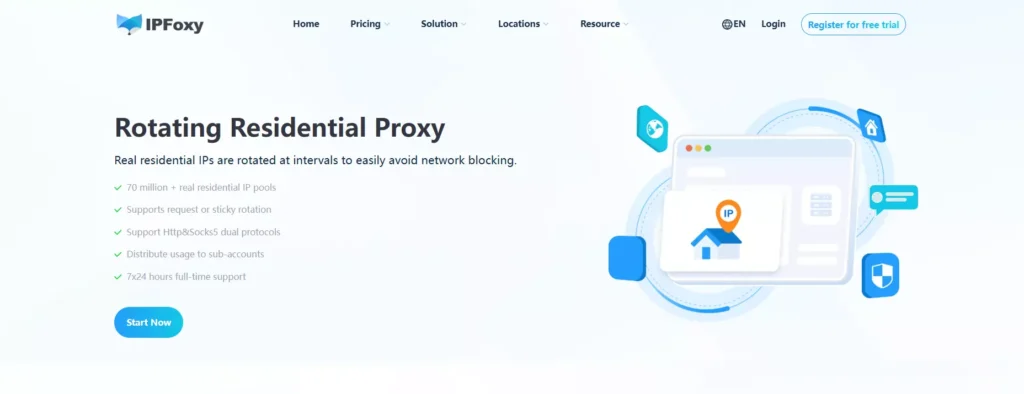
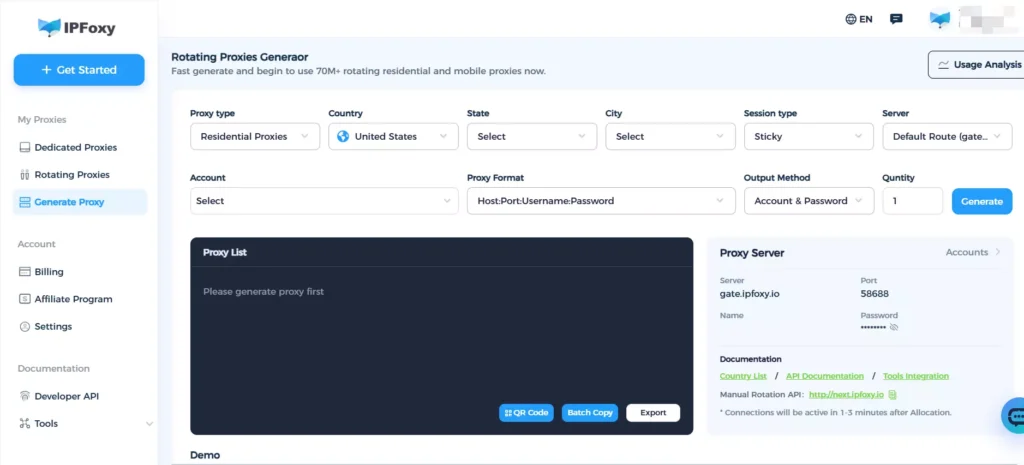
4. IP rotation and sticky sessions
- Rotate IPs per request to distribute traffic
- Use sticky sessions to maintain login stability
IPFoxy supports flexible session configurations for both rotating and sticky requests.
5. Build automation systems
- Deploy scripts on servers
- Use scheduled tasks (cron)
- Build full pipelines (API + storage)
V. FAQ
No. It generates code but cannot perform actual scraping.
Legality depends on usage. Follow website rules and data policies.
It cannot execute tasks, but it can design async frameworks like asyncio + aiohttp for large-scale data collection.
VI. Conclusion
ChatGPT can support the entire scraping workflow, from code generation to data parsing and API integration. However, in real-world scenarios, a stable system still requires proxy support, automation tools, and proper scheduling strategies.